
IC7 App vs IC7 APK: What Is the Difference?
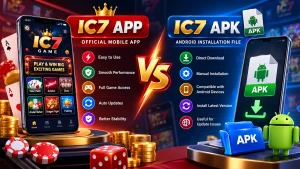
When people search for IC7 App vs IC7 APK, they are usually trying to understand how to access an IC7-related mobile experience and which option may suit their device. The terms sound similar, but they describe different things. An app is the software a person uses; an APK is an Android installation package that can be used to install an app on a compatible Android device.
The difference matters before downloading files, installing software, or troubleshooting mobile access. IC7 App usually refers to the application or app-based experience. IC7 APK usually refers to an Android package file associated with installing that application. Availability, publisher, version, and supported devices depend on the source, so verify those details instead of assuming every file using the IC7 name is genuine or current.
Quick Comparison: IC7 App vs IC7 APK
IC7 App: the application or app-based experience that a user opens and interacts with.
IC7 APK: an Android package file used to install an application on a compatible Android device.
Platform: an APK is designed for Android; it is not a native iOS installation file.
Updates: an app may update through its distribution channel, while an APK installation may require a separate package update.
Key checks: verify the publisher, source, version details, compatibility, and permissions before installing anything.
What Does IC7 App Mean?
IC7 App is a phrase people use when looking for an app-based way to access services or games associated with the IC7 name. It describes the software experience: the interface they open, the features available, and the way they navigate on a supported device. For the dedicated IC7 App page, see the site’s app information.
Before using an app, verify its publisher, download source, version information, and requested permissions. A familiar name or logo alone does not prove that an app is authentic. If an app is offered through a recognised distribution channel, review its listing and publisher details. If it is not available through a store, look for clear and trustworthy information from the service provider before proceeding.
What Is an IC7 APK?
APK stands for Android Package Kit. It is a file format used to package Android applications for installation. In everyday terms, an APK is closer to an installer than to the app experience itself. After installation, the application is what the user opens and interacts with. See the IC7 APK download page for related site information.
An IC7 APK download should not be treated as automatically safe simply because the filename contains IC7. Files from unverified websites can be outdated, modified, or bundled with unwanted software. Check who provides the file, whether version details are clear, and whether the requested permissions match the app’s stated purpose.
IC7 App vs IC7 APK: The Main Differences
- The app is the software; the APK is the package. The app is the program a user operates. The APK is a package used to install an Android app. People sometimes use the terms interchangeably in searches, but they refer to different parts of the process.
- Platform compatibility is different. An APK is intended for Android. It is not expected to install on an iPhone or iPad. Whether an IC7-related app supports a particular Android version, device configuration, or screen size depends on the package and publisher. Check the published requirements before proceeding.
- The update process can vary. An app installed through a recognised store may receive updates through that store. An app installed from an APK may need a separate update process. When considering an IC7 APK update, compare the version number and release information and avoid installing a file from an unknown mirror just because it appears newer. For version-related information, see IC7 Latest Version.
- Installation needs extra care with APK files. Installing an APK may require allowing installation from a specific source in Android settings. Only change this setting when you understand why it is needed and trust the source. Do not ignore security warnings or grant broad permissions unrelated to the app’s function.
- Troubleshooting may start in different places. If the app will not open, check storage, operating-system compatibility, app version, network connection, and the error message. If the APK will not install, check whether it is complete, compatible with the device, and intended for Android. Related help is available on the IC7 Troubleshooting page.
How to Check an IC7 APK Before Installing
- Confirm the source and prefer a clearly identified, trustworthy provider. Avoid random file-sharing pages.
- Review the filename and version information. A filename alone cannot prove authenticity, but missing or inconsistent details are warning signs.
- Check Android compatibility, including any minimum Android version or device requirements provided by the publisher.
- Review permissions. Be cautious if the app asks for access that does not match its stated purpose.
- Keep device protection enabled. Do not disable security features just to force an installation.
- Avoid modified or cracked packages. They may expose data, alter expected behaviour, or include unwanted code.
- Read local laws and service terms before accessing gaming-related services. Availability and eligibility can vary by location.
Common IC7 App and APK Problems
The IC7 APK will not install: confirm that the file finished downloading and that your device runs a supported Android version. Check available storage and any error message. Do not repeatedly download the same file from unrelated sites; that does not resolve compatibility problems and can increase security risk.
The app installs but does not open: restart the device, check the network connection, and see whether the app needs an update. If the issue began immediately after installing a package, uninstall it if you do not trust its source and seek verified information about the correct version. Do not enter account credentials into an app whose authenticity you cannot establish.
The app looks different from screenshots: interfaces can change between versions, devices, and regions. Unexpected pop-ups, unrelated permission requests, or prompts to install unknown software deserve caution. Stop using the app until you can verify the source.
The download page does not explain the version: if a page does not identify the publisher, version, supported Android release, or update date, there may not be enough information to make a safe decision. Do not assume a page is official simply because its title includes IC7 App or IC7 APK.
Which Option Should You Choose?
The right choice in IC7 App vs IC7 APK depends on what is actually available from a trustworthy source and which device you use. If a verified app listing supports your device, that distribution route may make updates and publisher verification easier. If the available Android option is an APK, first establish that the file comes from a reliable source and that its compatibility details are clear.
Do not download an APK just because it seems faster or because a search result promises a newer version. A safe, compatible installation is more important than choosing a particular file type. If you use an iPhone, an Android APK is not the correct installation format; look for an iOS option only if the provider clearly confirms that it supports one.
IC7 App vs IC7 APK: Frequently Asked Questions
Is IC7 App the same as IC7 APK? Not exactly. IC7 App usually refers to the application or app experience, while IC7 APK refers to an Android package file used to install an app.
Can I install an IC7 APK on an iPhone? No. APK files are designed for Android and are not native iOS installation packages. Use only a platform option the provider explicitly supports.
Does an APK always contain the latest version? No. A file can be old, modified, or incorrectly labelled. Check version details and the source before installing.
Is every IC7 APK download safe? No. The name alone does not establish safety or authenticity. Verify the provider, review permissions, and avoid untrusted download sites.
Why does my Android phone reject an APK? Possible reasons include an incompatible Android version, an incomplete file, insufficient storage, device restrictions, or a package intended for a different configuration.
Should I disable Android security to install an APK? Do not disable device protection just to force an installation. If Android warns about a file, verify its source and reconsider installing it.
How often should I update the IC7 App? Use updates provided through a verified distribution channel and review the version information. Avoid updates from unknown mirrors.
Is IC7Gem the official IC7 provider? IC7Gem is an independent informational website and should not be assumed to be officially affiliated with any service unless a verifiable statement confirms that relationship.
Final Thoughts on IC7 App vs IC7 APK
Understanding IC7 App vs IC7 APK helps you distinguish between the application you use and the Android package that may install it. The app describes the user experience; the APK is an Android installation format. That difference affects compatibility, updates, and the checks you should make before installing software. For broader context, visit the IC7 platform overview.
Before proceeding with any IC7 App or IC7 APK option, verify the source, version, platform support, and requested permissions. Avoid modified packages and unclear download pages, and check the rules that apply in your location before accessing gaming-related services. These checks help you make an informed decision without assuming every file or website using the IC7 name is genuine.
- IC7 App page: IC7 App
- IC7 APK page: IC7 APK Download
- Main IC7 page: IC7 platform overview